🖥️
New File for Mac
Add a "New File" option to macOS Finder's right-click menu. Free, open source, no dependencies.
macOS Finder has no "New File" in its right-click menu — unlike Windows. Every time you need a blank file, you have to open an app, create a document, then save it to the right folder. This tool fixes that.
Download
macOS Ventura (13) or later · No third-party dependencies · Runs fully offline
Installation
1
Download & unzip
Download
NewFile.workflow.zip above and unzip it.2
Install the workflow
Double-click
NewFile.workflow and click Install in the dialog.3
Enable in System Settings
Go to System Settings → Keyboard → Keyboard Shortcuts → Services. Under General, find New File and check the box.
4
Grant Accessibility permission
On first use, macOS will prompt for Accessibility access. Go to System Settings → Privacy & Security → Accessibility and allow Automator.
5
Right-click in Finder
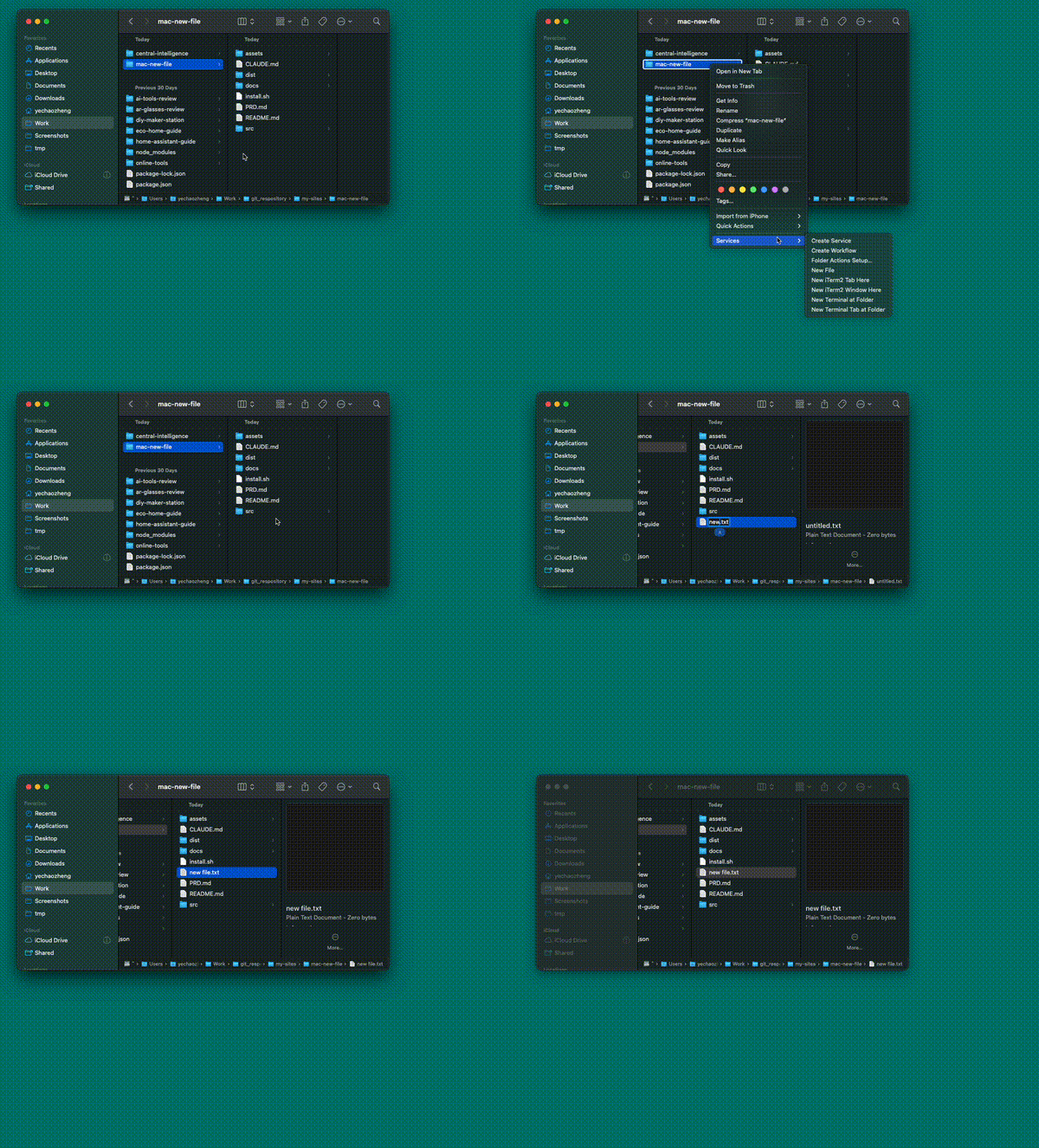
Right-click any folder or empty space in Finder → Quick Actions → New File. A blank
untitled.txt is created and ready to rename.Screenshots
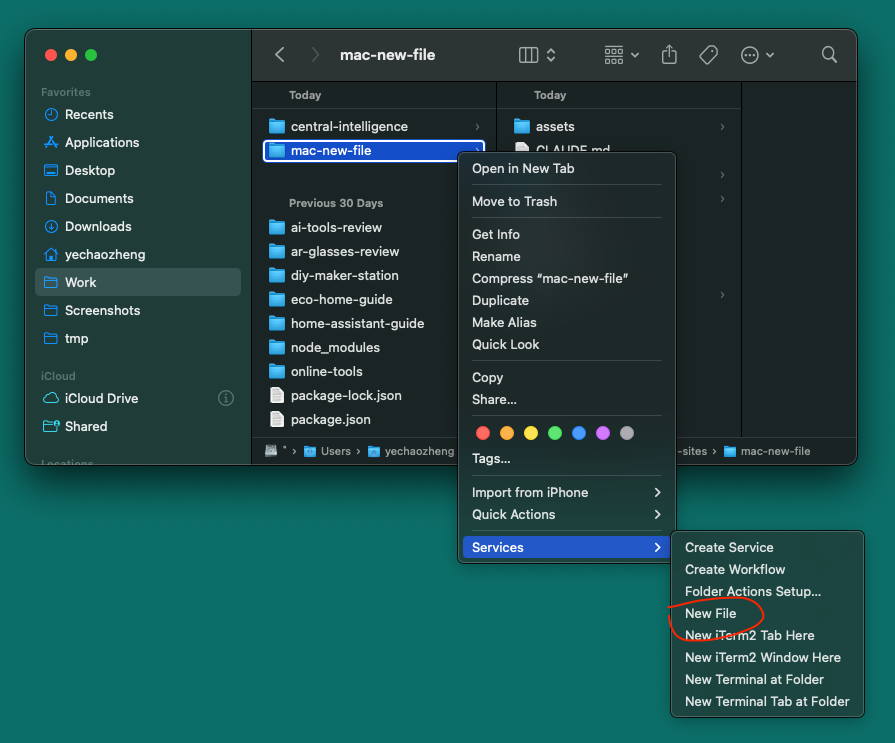
Right-click menu
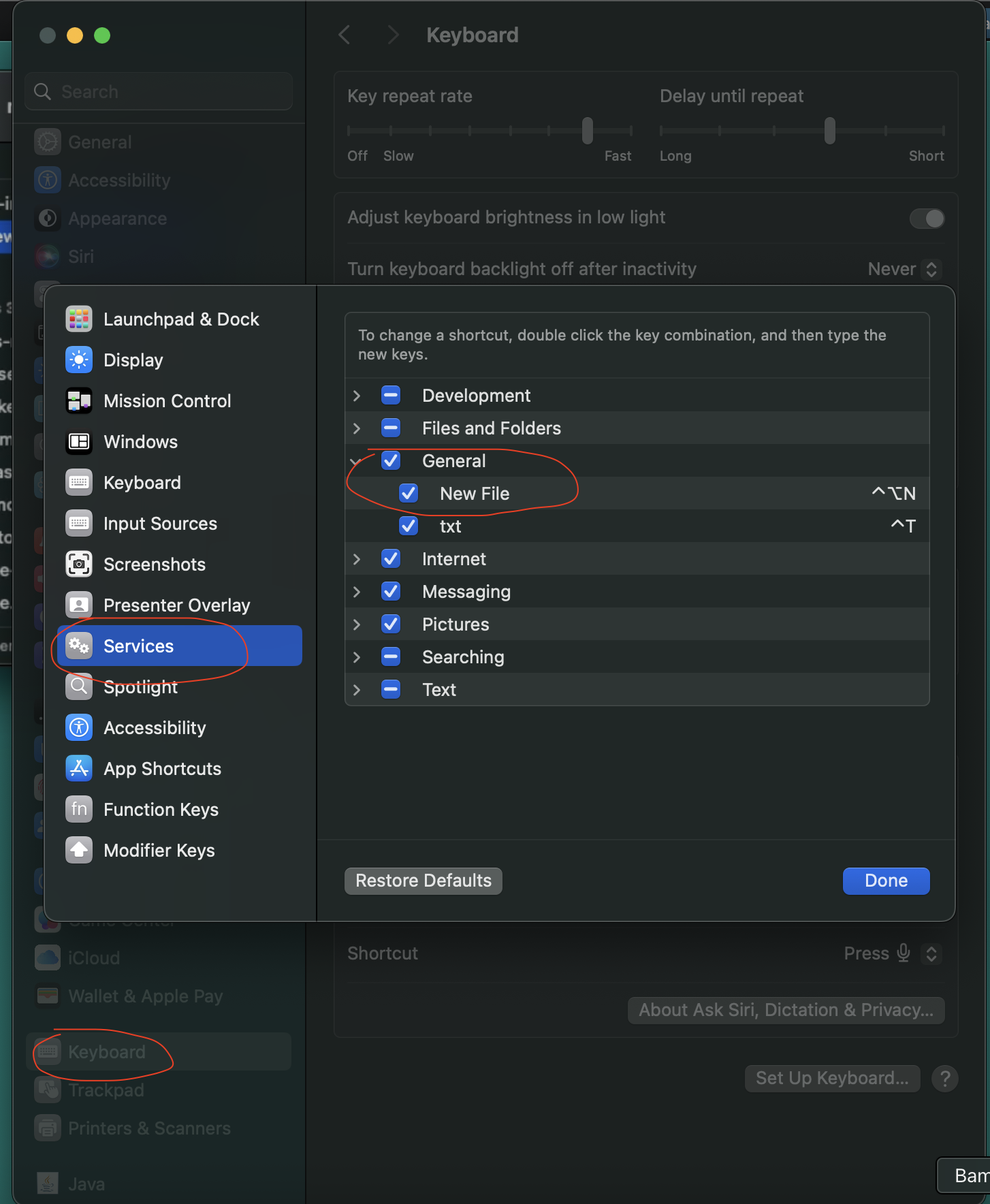
Enable in System Settings
FAQ
Is it safe? Does it phone home?
Completely offline. It's a plain Automator Quick Action + Shell script. No network requests, no data collection. Read the source.
Why does macOS ask for Accessibility permission?
The script uses System Events to simulate pressing Return in Finder to trigger the rename flow. This is a standard macOS requirement for any app that sends keystrokes.
How do I uninstall?
Run this in Terminal:
rm -rf ~/Library/Services/NewFile.workflowCan I create .md or .json files instead of .txt?
Not in this version. A future update will support custom file types. Star the GitHub repo to follow updates.
How It Works
Built with macOS native Automator Quick Action — no Xcode, no Swift, no signing required. The core is a short shell script that:
- Asks Finder for the current window path (falls back to Desktop if no window is open)
- Creates an
untitled.txtin that directory (auto-increments to avoid overwrites) - Selects the file in Finder and presses Return to enter rename mode